

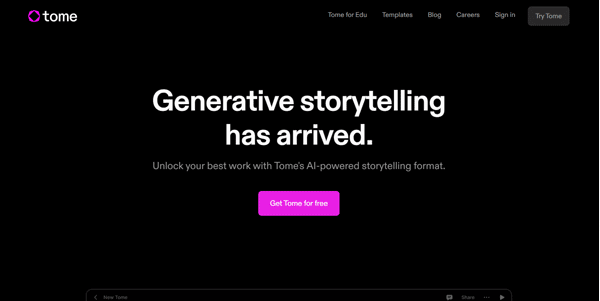
Building engaging presentations from scratch can be an incredibly time-consuming task. Tome AI uses advanced generative artificial intelligence to convert text prompts and document outlines into polished, interactive slide decks in seconds.
Quick Answer
Tome AI is an AI-powered presentation and storytelling platform designed for entrepreneurs, marketers, and students. It is ideal for users who want to build slide decks, reports, and visual stories quickly from simple text prompts. The primary use case is automated slide structure generation, with the key advantage of offering responsive, interactive layouts that look great on both desktop and mobile screens.
Table of Contents
Full Introduction to Tome AI
Traditional presentation programs like PowerPoint are built on rigid, slide-by-slide structures that have not evolved much in decades. Tome AI addresses this legacy approach by treating presentations as dynamic web pages that resize and adapt automatically.
By pairing text-generation models with AI image generators, Tome creates cohesive narratives and visual themes matching your prompt. It is a highly popular option in the directory of AI presentation tools and general productivity suites, helping creators pitch ideas faster.
How Does Tome AI Work?
Tome AI translates a natural language prompt (e.g., “Create a 10-slide pitch deck for a sustainable coffee startup”) into a multi-page outline. Once the outline is approved by the user, the AI writes the copy and generates custom illustrations for each slide.
The layout engine uses a modular grid system, allowing users to embed live web content, interactive Figma prototypes, 3D models, or YouTube videos directly into slides. The entire deck is hosted in the cloud, allowing users to share presentation links instead of large file attachments.
Key Features
- AI Presentation Creator: Input a prompt to automatically generate complete slide decks with copy and images.
- Responsive Grid Layout: Content adjusts automatically to look perfect on mobile devices and large monitors.
- Interactive Embeds: Add live dashboards, Miro boards, YouTube videos, and Figma links directly into your slides.
- AI Image Generator: Built-in DALL-E integration to create custom illustrations matching your slide theme.
- PDF to Presentation: Upload long documents or reports and let the AI summarize them into a presentation deck.
Pros and Cons
Advantages
- Incredible Speed: Go from an idea to a complete, beautiful slide deck draft in under a minute.
- Modern Aesthetics: Focuses on clean typography, dark themes, and professional layouts out of the box.
- Interactive Content: Supports live, clickable web components instead of static screenshots.
Disadvantages
- Export Restrictions: Exporting presentations as PDF or PowerPoint formats is locked behind paid subscriptions.
- Limited Templates: Offers fewer traditional template styles than legacy presentation platforms.
Use Cases
Startup Pitch Decks
Founders can quickly draft investor pitch decks, generating outlines and placeholders to kickstart their design process.
Educational Reports
Students and teachers can turn research papers into visual study presentations to explain complex concepts in class.
This tool also fits well in our business, AI study tools, and SuperTools categories.
Step-by-Step Tutorial
- Open the Command Bar: Log in and click “Create” to open the prompt bar at the bottom.
- Type a Prompt: Input a descriptive command (e.g., “A marketing report on Gen Z trends”).
- Select Layout Theme: Choose a light or dark theme and set your preferred typography style.
- Review Outline: Edit or re-order the pages suggested by the AI before confirming generation.
- Refine Content: Double-click text to rewrite using AI, and replace generated images with custom graphics or uploads.
- Share Presentation: Click “Share” to copy the live link or export the presentation.
Tome AI Pricing
Tome operates on a credits-based free system alongside premium subscription tiers:
| Plan | Price | Features |
|---|---|---|
| Basic Free | Free | 500 lifetime credits, basic template access, public link sharing. |
| Pro | $8 / user / month | Unlimited creation credits, PDF/PPT export, custom branding, priority support. |
| Enterprise | Custom Pricing | Advanced team permissions, analytics, template library, and dedicated customer success. |
Price details may change over time. It is highly recommended to check the official website for latest updates.
Comparison with Competitors
| Feature | Tome AI | Gamma App | Microsoft Copilot PPT |
|---|---|---|---|
| Layout Style | Responsive Grid Page | Cards / Document Hybrid | Traditional Slides |
| Live Embeds | Yes (Figma, Airtable) | Yes | Limited |
| Export options | Paid PDF/PPT | Free & Paid PDF/PPT | PPT Native |
Who Should Use Tome AI?
Who Should Use It?
Tome is perfect for startup founders, sales representatives, product managers showcasing prototypes, and educators looking to build visually engaging slideshows.
Who Shouldn’t Use It?
Design purists who need precise control over every coordinate pixel, or users who must print presentations on paper, should stick to PowerPoint.
Best Tome AI Alternatives
- Gamma App: A highly popular AI-powered slide deck, document, and webpage generator.
- Beautiful.ai: A presentation software that applies smart design rules to cards automatically.
- SlidesPilot: An AI presentation tool designed to generate PowerPoint compatible slides instantly.
Frequently Asked Questions
Can I export Tome presentations to PowerPoint?
Yes, but exporting to PPTX or PDF format is a premium feature restricted to Tome Pro subscribers.
How do credits work in Tome?
Generating new presentations or running major AI rewrites costs a set amount of credits, which are refilled on paid plans.
Can I edit presentations on mobile?
Yes, Tome has a fully responsive editor that allows you to view and make quick text adjustments on tablets and mobile screens.
Does it support collaboration?
Yes, you can invite team members to edit, comment on, and view your workspaces in real time.
Is there an image generation limit?
Image generations utilize your account credits; pro plan subscribers have unlimited image generations within the platform.
Can I embed web applications?
Yes, Tome supports native iframe embedding for popular tools like Figma, Miro, Looker, and Google Sheets.
Does Tome offer analytics?
Enterprise tiers include analytics dashboards to track who has viewed your shared links and how long they stayed on each slide.
Is Tome good for academic research?
Yes, by uploading research drafts or using the document-to-presentation feature, you can structure academic work into clean summaries.