

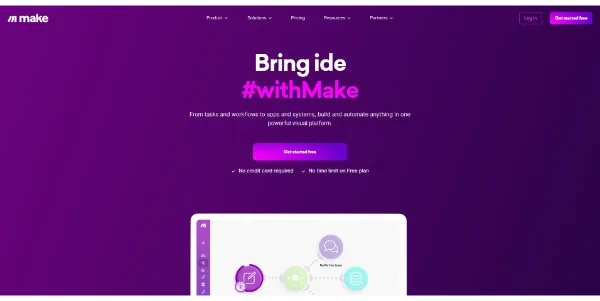
Building automated systems that link different web services often requires custom code integration or complex server management. Make.com (formerly Integromat) simplifies this challenge by providing a visual, drag-and-drop workflow builder to automate tasks and run AI pipelines without code.
Quick Answer
Make.com is a no-code visual workflow automation platform designed for business owners, developers, and operations teams. It is ideal for users who want to connect databases, CRMs, and social media channels to automate data transfers. The primary use case is visual API integration, with the key advantage of offering an infinite canvas where you can build complex, multi-step logical routes with routers and error handlers.
Table of Contents
Full Introduction to Make.com
Historically, connecting different SaaS applications required paying developers for API integrations or using rigid, linear builders. Make.com addresses this by offering a visual workspace where you can map data routes graphically.
By connecting triggers (events that start a workflow) to actions (tasks executed by the system), Make allows businesses to automate operations. It is a premier utility in our list of AI automation tools, no-code AI tools, and productivity applications, letting teams build enterprise-grade automation on a budget.
How Does Make.com Work?
Make.com operates through visual “scenarios.” Each scenario starts with a trigger module (such as “new form submission on Typeform”) that polls for data at regular intervals or receives webhook alerts.
The data from the trigger is mapped dynamically to subsequent action modules (such as “generate draft using OpenAI” and “send Slack notification”). Users can add routers to split paths based on conditions, format variables using built-in functions, and log errors automatically.
Key Features
- Visual Scenario Canvas: Build and debug multi-step workflows by drag-and-dropping bubbles on an infinite screen.
- Thousands of Integrations: Pre-built API modules for Google Sheets, OpenAI, HubSpot, Shopify, Slack, and more.
- Data Routers: Split workflow paths into multiple directions based on custom filters and logical rules.
- Error Handlers: Add specialized error modules to log failures, retry requests, or alert team members.
- Custom Webhooks & APIs: Connect custom databases or legacy software using universal HTTP request modules.
Pros and Cons
Advantages
- Visual Debugging: Watch data flows move across circles in real time to locate bugs quickly.
- Highly Cost Effective: Offers significantly cheaper task rates and a more generous free tier than main competitors.
- Logical Complexity: Built-in support for array aggregators, iterators, and code-like functions.
Disadvantages
- Learning Curve: Understanding data mapping, arrays, and JSON formats takes time for beginners.
- Execution Limits: High-frequency webhooks or heavy loops can consume monthly task limits rapidly.
Use Cases
AI-Powered Lead Enrichment
Automate incoming contact forms: extract details, query OpenAI to draft a custom pitch email, and save the profile to HubSpot.
E-commerce Invoice Automation
Sync new Shopify orders to QuickBooks, generate PDF invoices, and email them to customers automatically.
Step-by-Step Tutorial
- Create a Scenario: Open the Make dashboard and click “Create a new scenario.”
- Add a Trigger: Click the plus icon, search for an app (e.g., Google Sheets), and select “Watch Rows.”
- Link an Action: Drag a new module slot, search for ChatGPT, and select “Create a Completion.”
- Map Variables: Click fields to insert data variables pulled from the Google Sheets trigger.
- Run and Test: Click the play icon to run a live test scenario and review the visual bubbles.
- Schedule: Toggle the scheduling switch to run the automation continuously in the background.
Make.com Pricing
Make.com charges based on the number of monthly task executions required:
| Plan | Price | Features |
|---|---|---|
| Free | Free ($0) | 1,000 tasks per month, 15-minute minimum interval, active scenarios. |
| Core | $9 / month | 10,000 tasks per month, unlimited active scenarios, 1-minute execution intervals. |
| Pro | $16 / month | 10,000 tasks (scalable), custom variables, priority scenario execution, full search. |
| Teams | $29 / month | Team workspaces, template library sharing, advanced permission controls. |
Price details may change over time. It is highly recommended to check the official website for latest updates.
Comparison with Competitors
| Feature | Make.com | Zapier | n8n |
|---|---|---|---|
| Visual Layout | Visual canvas (Circles) | Linear stack (Vertical list) | Visual canvas (Nodes) |
| Pricing Value | Very High (Cheap tasks) | Premium (Expensive tasks) | High / Self-host option |
| Complexity Limit | Very High | Moderate | Extreme (JavaScript nodes) |
Who Should Use Make.com?
Who Should Use It?
Make.com is ideal for online agency owners, system integrators, startup founders, and ops managers looking to link multiple software services visually.
Who Shouldn’t Use It?
Users who only need to sync single items (like posting a tweet when an RSS updates) and prefer simple, linear builders like Zapier.
Best Make.com Alternatives
- Zapier: The market pioneer for simple, linear no-code integrations, featuring the largest app library.
- n8n: An open-source, node-based automation tool that allows free local hosting.
- Activepieces: A modern, open-source automation alternative built specifically for team workspaces.
Frequently Asked Questions
What is a task in Make.com?
A task is counted every time a module in your scenario executes a successful operation (such as adding a sheet row or calling ChatGPT).
Can I self-host Make.com?
No, Make.com is hosted entirely in the cloud. If you require self-hosting for strict database compliance, look at n8n.
Does Make support Webhooks?
Yes. You can create custom Webhook URLs that trigger scenarios instantly when external apps send JSON data payloads.
What is an Array Aggregator?
It is a built-in module that converts multiple incoming data packets into a single array list, making bulk operations easy.
Is my data secure with Make?
Make encrypts all credentials, uses secure connections (HTTPS), and complies with GDPR standards. Enterprise tiers feature advanced audit logs.
How many apps can I connect?
You can connect thousands of integrated applications, or interface with any public API using the universal HTTP module.
Can I migrate from Zapier to Make?
While there is no automated migration tool, you can copy the API structures and build them on the Make scenario canvas easily.
Does Make support custom coding?
Yes. You can write custom JavaScript inside specific formula blocks to execute mathematical calculations or text formats.