

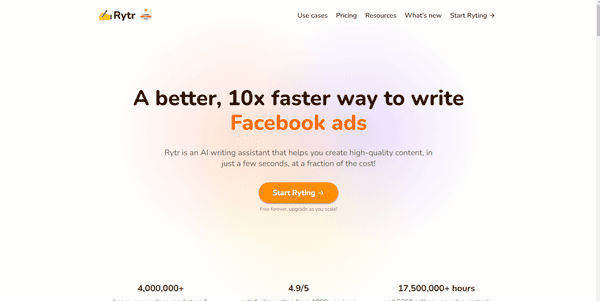
Drafting blogs, emails, and social media captions daily can easily lead to creative block. Rytr is an affordable, AI-powered writing assistant designed to generate high-quality text for marketing campaigns, websites, and creative projects in seconds.
Quick Answer
Rytr is an AI copywriting assistant designed for freelance writers, content marketers, and small business owners. It is ideal for users who want to draft short-form copy, generate blog outlines, and rewrite text on a budget. The primary use case is general copywriting, with the key advantage of offering an easy-to-use, single-screen editor interface with over 40 use cases and 30 languages supported out of the box.
Table of Contents
Full Introduction to Rytr
While early AI copywriting applications carried expensive monthly fees, Rytr entered the market with a budget-friendly freemium approach. By providing access to advanced writing models under an intuitive layout, it opened AI writing to creators worldwide.
Rytr supports more than 20 tones of voice, allowing users to match their brand identity precisely. It is recognized as one of the best value options in our directory of AI writing and SEO tools and AI text generators, earning its place in our Digitechterra Selection for accessibility.
How Does Rytr Work?
Rytr is built on a clean sidebar-centric interface. Users select their target language, choose a tone of voice (such as convincing, humorous, formal, or casual), and select a specific use case template.
After inputting a brief description or set of keywords, the AI constructs up to three distinct variations of the copy. The editor allows users to highlight text segments to expand, rephrase, or check for plagiarism directly on the page.
Key Features
- 40+ Use Case Templates: Generate blog sections, emails, Facebook ads, landing pages, and product descriptions.
- Built-in Plagiarism Checker: Scan generated drafts using Copyscape algorithms to ensure content uniqueness.
- Tone of Voice Control: Select from over 20 pre-set tones to match your target audience sentiment.
- AI Rich Text Editor: Highlight text to expand, shorten, rephrase, or append paragraphs easily.
- AI Image Generator: Create basic visual assets matching your copy using built-in image models.
Pros and Cons
Advantages
- Budget Friendly: Excellent unlimited pricing plans compared to larger copywriting suites.
- Clean Interface: Single-pane layout is incredibly easy to navigate for beginners.
- Multi-Language Support: Writes and translates content fluently in over 30 languages.
Disadvantages
- Short-Form Focus: Less suited for generating 2,000-word blog posts in one click compared to competitor systems.
- Fact Checking Needed: Requires auditing for factual accuracy and tone consistency.
Use Cases
Social Media Marketing
Freelancers can quickly write dozens of engaging Instagram captions, YouTube descriptions, and LinkedIn posts matching target tags.
Email Outreach
Sales professionals can draft personalized cold outreach emails, adjusting tones to make them convincing or friendly.
Step-by-Step Tutorial
- Open the Editor: Log in and open a new document in the Rytr dashboard.
- Configure Sidebar: Select your language, target tone, and choose a use case (e.g., “Email”).
- Input Points: Enter key details or points you want the email to cover in the text box.
- Select Variations: Choose whether you want 1, 2, or 3 draft variations returned.
- Ryte: Click the “Ryte for me” button to generate the copy.
- Edit and Format: Highlight text segments to rephrase or run the plagiarism scan, then copy the result.
Rytr Pricing
Rytr is widely known for its generous freemium pricing structure:
| Plan | Price | Features |
|---|---|---|
| Free | Free ($0) | Generate 10,000 characters per month, access to 40+ use cases, 30+ languages, 20+ tones. |
| Saver | $9 / month ($90/yr) | Generate 100,000 characters per month, custom use case creation, build AI images. |
| Unlimited | $29 / month ($290/yr) | Generate unlimited characters per month, dedicated account manager, priority email support. |
Price details may change over time. It is highly recommended to check the official website for latest updates.
Comparison with Competitors
| Feature | Rytr | Jasper AI | Copy.ai |
|---|---|---|---|
| Primary Focus | Budget / Short Copy | Enterprise / Long-Form | Workflow / Marketing |
| Pricing Limit | Unlimited tier available | Credit-capped plans | Credit-capped plans |
| Editor style | Simple sidebar | Complex document dashboard | Chat & Workspaces |
Who Should Use Rytr?
Who Should Use It?
Rytr is perfect for freelance copywriters, social media managers, affiliate marketers, and small business owners looking for a budget AI writing companion.
Who Shouldn’t Use It?
Large enterprise marketing departments requiring complex brand voice models, API automation pipelines, or deep SEO competitor audits.
Best Rytr Alternatives
- Writesonic: A powerful writer featuring built-in web search and SEO article generators.
- Copy.ai: A great alternative focused on workflow automation and team workspaces.
- Jasper: The market standard for long-form blog posts and brand voice customization.
Frequently Asked Questions
Is Rytr free to use?
Yes, Rytr offers a free plan that resets monthly, allowing you to write up to 10,000 characters (approx. 2,000 words).
Does Rytr check for plagiarism?
Yes, the editor has a built-in plagiarism detector powered by Copyscape, allowing you to highlight text and run scans.
What is the Unlimited plan character limit?
The Unlimited plan has no character caps, allowing you to generate as much copy as you need monthly.
Can Rytr write blogs?
Yes, Rytr has specific templates for “Blog Idea & Outline” and “Blog Section Writing” to help you build articles block-by-block.
What languages does Rytr write in?
Rytr supports writing and translation in over 30 languages, including English, Spanish, French, German, Arabic, and Persian.
Can I generate images with Rytr?
Yes, Saver and Unlimited plan subscribers can generate custom AI illustrations directly inside their documents.
Is Rytr content SEO friendly?
Yes, but utilizing target keywords in your description prompts and manually optimizing headers in the editor yields the best results.
Can I cancel my subscription?
Yes, you can upgrade, downgrade, or cancel your monthly subscription at any time through the Billing page.