

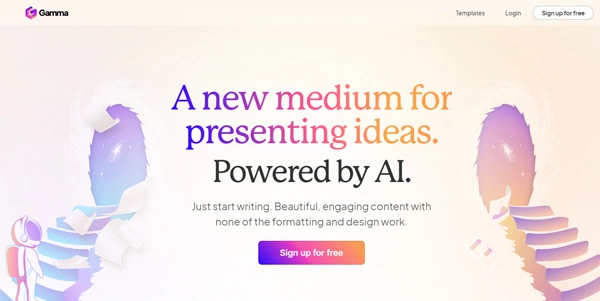
Creating slide decks, website layouts, and business documents from scratch is a tedious task. Gamma App uses advanced generative AI to transform text prompts and outline briefs into polished, responsive presentations and web pages in seconds.
Quick Answer
Gamma App is an AI-powered presentation and document generator designed for marketers, salespeople, educators, and designers. It is ideal for users who want to build slide decks, reports, and simple landing pages quickly. The primary use case is automated slide and layout creation, with the key advantage of using a flexible card layout system that looks clean on mobile devices without manual resizing.
Table of Contents
Full Introduction to Gamma App
Traditional presentation programs restrict your content to fixed-dimension slides, making mobile viewing and interactive embeds difficult. Gamma App addresses this restriction by treating presentations as responsive web cards that flow and adapt dynamically.
By pairing text-generation models with AI styling tools, Gamma designs modern themes matching your prompt. It is a highly popular option in the directory of AI presentation tools and general productivity applications, speeding up design workflows.
How Does Gamma App Work?
Gamma App uses natural language processing to translate a text prompt into a multi-card structure. Users write a short brief or paste an existing text outline into the generator.
The AI writes the copy, chooses color schemes, and drops in matching illustrations or web embeds automatically. Once the draft is generated, users can use the sidebar editor to customize text, change styles, or add interactive charts.
Key Features
- AI Presentation Creator: Input text prompts to generate complete, beautiful slide decks automatically.
- Flexible Card Grid: Content adjusts automatically to look perfect on mobile screens and desktop monitors.
- Web Page Mode: Generate responsive web landing pages and share them online with a single click.
- Interactive Block Embeds: Add live dashboards, YouTube videos, Figma designs, and Google Forms to cards.
- One-Click Styling: Instantly change color themes, fonts, and card templates using pre-configured presets.
Pros and Cons
Advantages
- Stunning Visual Templates: Focuses on clean typography and modern aesthetic layouts out of the box.
- Fast Page Deployment: Build and publish reports or landing pages online in under three minutes.
- Free PPTX Export: Allows exporting presentations to PDF and PowerPoint formats even on free tiers.
Disadvantages
- Custom Layout Limits: Heavy manual pixel adjustments are restricted to keep the layouts responsive.
- Credit Quotas: Free accounts use a credits system that consumes points for each generation run.
Use Cases
Sales Pitches and Reports
Sales managers can quickly draft visual proposal decks, embedding live CRM stats and product videos for clients.
Educational Slide Decks
Teachers can paste textbook outlines and generate visually structured cards to explain topics in class.
Step-by-Step Tutorial
- Start a Project: Log in and click “Create New with AI” on the Gamma dashboard.
- Select Output: Choose whether you want to build a Presentation, Document, or Webpage.
- Describe Your Goal: Type your prompt (e.g., “A presentation on remote work productivity”).
- Edit Outline: Add or rephrase the slide cards suggested by the AI before confirming.
- Choose a Style: Select a visual template theme from the sidebar, then click Generate.
Gamma App Pricing
Gamma App offers free credits for new users alongside monthly subscription packages:
| Plan | Price | Features |
|---|---|---|
| Basic Free | Free ($0) | 400 one-time credits, basic AI models, watermark on exports, export to PDF/PPT. |
| Plus Plan | $8 / month | Unlimited creation, removal of “Made with Gamma” watermark, custom fonts, 30-day history. |
| Pro Plan | $15 / month | Access to advanced AI models, analytics tracking, custom templates, collaboration folders. |
Price details may change over time. It is highly recommended to check the official website for latest updates.
Comparison with Competitors
| Feature | Gamma App | Tome AI | Beautiful.ai |
|---|---|---|---|
| Export Options | Free PDF & PPTX | Paid PDF & PPTX | Paid PPTX |
| Webpage Generation | Yes (Fully responsive) | Yes (Grid page) | No (Slides only) |
| Collaboration | Yes (Real-time) | Yes | Yes |
Who Should Use Gamma App?
Who Should Use It?
Gamma App is perfect for marketing professionals pitching concepts, business development managers, teachers creating slides, and startup owners.
Who Shouldn’t Use It?
Design teams who need precise control over every single coordinate layer or complex vector editing tools.
Best Gamma App Alternatives
- Tome AI: A leading AI storytelling tool that builds modular grid presentation cards.
- Beautiful.ai: A smart slide presentation assistant that formats templates automatically.
- SlidesPilot: An AI-powered tool built specifically to generate PowerPoint formats instantly.
Frequently Asked Questions
Is Gamma App free to use?
Yes. Gamma App offers a free plan with 400 credits upon sign-up, allowing you to generate several presentations.
Can I export Gamma presentations to PowerPoint?
Yes, Gamma allows you to export your finished decks as PPTX or PDF files, even on the free tier.
What are credits in Gamma App?
Credits are virtual points used to generate cards or write text. Each new presentation generation costs 40 credits.
Does Gamma support live embeds?
Yes. You can embed live web links from tools like Google Sheets, YouTube, Figma, Miro, and Loom directly into card blocks.
Can I connect my own custom domain?
Yes, paid plans (Plus or Pro) allow you to publish webpage documents on your own custom web domains.
Does it support collaboration?
Yes. You can share your workspaces with team members to co-author slide decks and edit content in real time.
Is Gamma App good for SEO?
Webpages generated on paid tiers support custom sitemaps sitemaps, titles, and meta descriptions, providing basic SEO setup.
Can I upload PDF files to build presentations?
Yes, you can upload documents and use the document-to-presentation tool to summarize and format details into cards.