

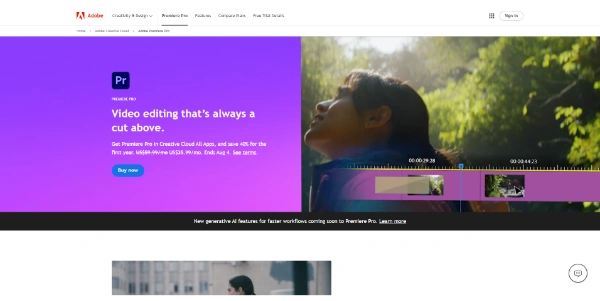
Editing professional video files has traditionally meant spending hours trimming sequences, aligning transcripts, and correcting audio quality manually. Adobe Premiere Pro has integrated advanced AI features directly into its editing timeline to automate these repetitive tasks and speed up video production.
Quick Answer
Adobe Premiere Pro is an industry-standard desktop video editing software developed by Adobe Inc. It is designed for professional video editors, filmmakers, and content creators. The primary use case is timeline-based video editing, with the key advantage of offering native AI tools (like text-based video editing, speech enhancement, auto-reframe, and color matching) to reduce production workflows by up to 50%.
Table of Contents
Full Introduction to Adobe Premiere Pro
For years, Adobe Premiere Pro has been the go-to editing suite for Hollywood filmmakers, broadcast television, and YouTube creators. As generative AI models advanced, Adobe introduced “Adobe Sensei” and native AI pipelines to automate time-consuming editing tasks.
Premiere Pro allows editors to edit video by editing text, automatically transcribing clips, and using generative fill to expand video boundaries. It is the premier desktop software in our category of best AI video editing tools, combining classic timeline controls with modern AI workflows.
How Do AI Features Work?
Premiere Pro uses Adobe Sensei (Adobe’s machine learning framework) and integrated deep learning models to analyze audio and video assets on the timeline.
For example, the Text-Based Editing feature uses speech-to-text models to automatically transcribe video clips. When an editor cuts or reorders sentences in the text transcript window, the corresponding video clips on the timeline are cut and reordered automatically.
Key AI Features
- Text-Based Video Editing: Edit your video timeline simply by selecting, cutting, and pasting text transcripts.
- Enhance Speech: Automatically remove background noise, room echo, and improve vocal clarity with one click.
- Auto Reframe: Detects and tracks key subjects in wide shots, automatically cropping them to vertical formats (9:16) for TikTok or Reels.
- Morph Cut: Smooths out awkward jump cuts in interview video files, blending transitions seamlessly.
- Color Match: Match color profiles and lighting across different cameras and locations automatically.
Pros and Cons
Advantages
- Professional Toolset: Offers industry-standard visual editing, color grading, and audio post-production.
- Integrated AI: AI tools run directly inside the timeline, eliminating the need for separate third-party plugins.
- Excellent Ecosystem: Seamless collaboration with Adobe After Effects, Photoshop, and Frame.io.
Disadvantages
- Heavy Hardware Demands: Running complex editing projects and AI rendering requires a high-performance computer.
- Subscription Only: Adobe Creative Cloud requires ongoing monthly subscription payments; no one-time purchase option.
Use Cases
Interview and Talk Show Editing
Editors can transcribe long interviews, search the text for specific quotes, and cut out filler words (like “um” and “uh”) automatically.
Social Media Reformatting
Creators can take landscape (16:9) YouTube videos and use Auto Reframe to generate vertical layouts for Instagram and TikTok feeds in seconds.
Adobe Premiere Pro Pricing
Premiere Pro is available under Adobe Creative Cloud plans, with monthly or annual billing options:
| Plan | Price | Details |
|---|---|---|
| Premiere Single App | $22.99 / month (annual contract) | Full access to Premiere Pro, 100GB cloud storage, Adobe Fonts, Frame.io integration. |
| Creative Cloud All Apps | $59.99 / month (annual contract) | Access to Premiere Pro, After Effects, Photoshop, Audition, Illustrator, and 20+ other apps. |
| Student / Teacher | $19.99 / month | Creative Cloud All Apps package discount for verified academic users. |
Price details may change over time. It is highly recommended to check the official Adobe website for latest updates.
Comparison with Competitors
| Feature | Adobe Premiere Pro | DaVinci Resolve | Descript |
|---|---|---|---|
| Target Audience | Professional / Broadcast | Professional / Colorists | Podcasters / Creators |
| AI Transcript Editing | Yes (Native) | Yes (Studio version) | Yes (Core feature) | Subscription ($22.99+) | Free / $295 One-time | Freemium Subscription |
Who Should Use Premiere Pro?
Who Should Use It?
Premiere Pro is perfect for professional video editors, social media content creators, filmmakers, and creative marketing teams.
Who Shouldn’t Use It?
Beginners who only need to stitch simple vacation clips, or creators looking for basic, one-click mobile video templates.
Best Premiere Pro Alternatives
- DaVinci Resolve: A powerful video editing software famous for its industry-leading color grading.
- Descript: A pioneer in text-based podcast and video editing designed for creators.
- CapCut: A highly popular, free-to-use desktop and mobile editor with simple AI effects.
Frequently Asked Questions
Is Adobe Premiere Pro free?
No. Adobe Premiere Pro requires a paid Creative Cloud subscription, though Adobe offers a 7-day free trial for new users.
What is Text-Based Editing in Premiere Pro?
It is a feature that transcribes your clips automatically, allowing you to edit the video timeline by editing the text transcript window.
Does Premiere Pro run on Mac and Windows?
Yes. Premiere Pro is fully compatible with both macOS (including Apple Silicon optimization) and Windows operating systems.
Can I buy Premiere Pro as a one-time purchase?
No. Premiere Pro is only sold through Adobe’s Creative Cloud subscription model.
How does the Enhance Speech tool work?
The tool uses AI to remove echo and background noise from vocal tracks, making dialogue sound like it was recorded in a studio.
Can I export videos directly to YouTube?
Yes, the export panel allows you to link your YouTube, TikTok, and Vimeo accounts to upload finished projects automatically.
What hardware is required for Premiere Pro?
It is recommended to have at least 16GB of RAM (32GB for 4K video), a dedicated GPU, and a fast SSD drive for storage.
Does Premiere support collaboration?
Yes, through “Team Projects” and Frame.io integrations, editors can work on the same project files and share drafts for client review.