

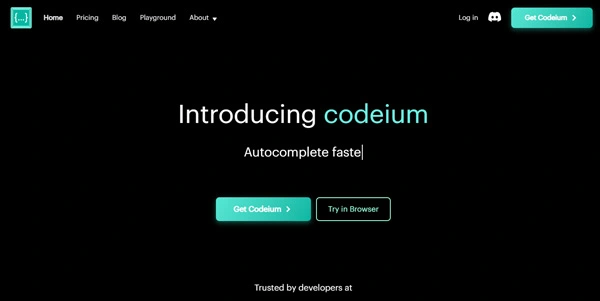
Writing and debugging code is one of the most time-consuming aspects of software development. Codeium utilizes advanced machine learning models to act as a free coding assistant, offering real-time code completion, inline chat, and intelligent search directly within your code editor.
Quick Answer
Codeium is a free AI-powered code completion and editing assistant built for software developers, students, and engineers. It is ideal for users who want to accelerate writing boilerplate code and debug errors directly in their editor. The primary use case is inline code autocompletion, with the key advantage of offering an incredibly fast, free-for-individuals tier that supports over 70 programming languages and integrates with all major IDEs.
Table of Contents
Full Introduction to Codeium
As software complexity scales, developers spend significant hours referencing APIs and writing repetitive boilerplate. Codeium addresses this overhead by bringing high-performance generative models directly into the developer’s cursor workspace.
With its deep repository index and visual chat tools, Codeium provides context-aware completions that adapt to your team’s styling. It is a premier utility in our list of AI coding assistants, offering a robust free alternative to premium systems.
How Does Codeium Work?
Codeium runs proprietary large language models fine-tuned on billions of lines of public code. When you type in your editor, the Codeium extension sends the code context (surrounding files and open tabs) to its cloud servers.
The AI predicts the most likely next lines, rendering them as gray ghost text. In addition, Codeium features a local index of your active project workspace, allowing the chat assistant to answer complex questions about your specific files and functions.
Key Features
- Inline Code Completion: Get fast, accurate suggestions for single lines, nested loops, or entire functions as you write.
- AI Chat Sidebar: Highlight code blocks to explain logic, refactor structure, generate documentation, or find bugs.
- AI Search: Search your codebase using natural language queries instead of complex regex strings.
- 70+ Languages Supported: Full autocomplete and chat capabilities for Python, JavaScript, Go, C++, Rust, SQL, and more.
- Wide IDE Integration: Plugins for VS Code, JetBrains, Neovim, Visual Studio, Xcode, and Chrome.
Pros and Cons
Advantages
- Free Individual Plan: Offers unlimited autocomplete and chat features completely free of charge.
- Incredibly Fast: Compiles and displays suggestions with minimal latency.
- Deep Context Indexing: Understands your active project workspace to provide relevant answers.
Disadvantages
- Complex Logic: Can occasionally generate syntax errors or logical bugs in highly niche frameworks.
- Server Connection: Autocomplete features require an active internet connection to communicate with Codeium servers.
Use Cases
Boilerplate Generation
Quickly generate database schemas, API routes, and standard mockups, saving hours of manual setup typing.
Code Refactoring
Use the chat interface to scan legacy functions and suggest modern, optimized syntax patterns for better speed.
Step-by-Step Tutorial
- Install Extension: Open your IDE (e.g., VS Code) and search the marketplace for the Codeium plugin.
- Sign Up: Click the Codeium icon in your status bar to register a free account.
- Start Coding: Open any code file and start writing; Codeium will display gray completion suggestions.
- Accept Completion: Press Tab to accept the suggested code block, or Esc to decline.
- Use Chat: Press Ctrl+I or open the sidebar panel to ask questions about your files.
Codeium Pricing
Codeium is famous for offering a completely free individual tier alongside premium team packages:
| Plan | Price | Features |
|---|---|---|
| Individual | Free ($0) | Unlimited autocomplete, chat, natural language search, support for 70+ languages. |
| Teams | $12 / user / month | Everything in Individual, plus admin dashboard, seat management, and basic code policies. |
| Enterprise | Custom Pricing | Self-hosting options, custom fine-tuning, advanced security, and dedicated support. |
Price details may change over time. It is highly recommended to check the official website for latest updates.
Comparison with Competitors
| Feature | Codeium | GitHub Copilot | Tabnine |
|---|---|---|---|
| Individual Pricing | Free ($0) | Paid ($10/mo) | Freemium ($12/mo) |
| Workspace Indexing | Yes (Fast) | Yes (Advanced) | Moderate |
| Self-Hosting | Yes (Enterprise) | No | Yes |
Who Should Use Codeium?
Who Should Use It?
Codeium is perfect for freelance programmers, computer science students, and software developers looking for a free, high-performance coding companion.
Who Shouldn’t Use It?
Non-technical managers who do not write code, or enterprise developers under strict regulations that forbid cloud-based code telemetry (unless using Enterprise tiers).
Best Codeium Alternatives
- GitHub Copilot: The market leader, offering advanced workspace context and integration.
- Cursor: A modified VS Code editor designed around deep AI model capabilities.
- Tabnine: A popular assistant that offers local, offline-capable code completion models.
Frequently Asked Questions
Is Codeium really free?
Yes. Codeium offers unlimited autocomplete and chat features completely free of charge for individual developers.
Does Codeium train models on my private code?
For the free Individual tier, Codeium states they do not train their generative models on your private inputs or codebase telemetry.
Can I run Codeium offline?
The standard extension requires an internet connection. Self-hosted, offline options are available to Enterprise subscribers.
What IDEs are supported?
Codeium integrates with VS Code, JetBrains, Visual Studio, Xcode, Eclipse, Neovim, Emacs, and multiple web browsers.
Does it support code translation?
Yes, you can use the chat sidebar to ask Codeium to translate Python files into JavaScript or Go code structures.
Is the code generated by Codeium copyrighted?
Codeium states that they filter out suggestions that copy public code blocks verbatim, ensuring your outputs are safe to use.
What is Codeium Search?
It is a semantic search tool that lets you search your codebase using normal sentences instead of writing complex directory filters.
How does Codeium make money?
While the Individual plan is free, Codeium monetizes the platform through paid Teams and Enterprise plans for corporate accounts.