

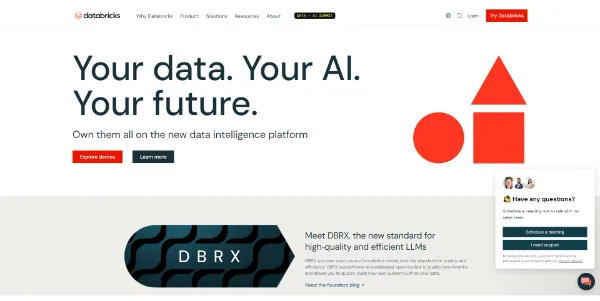
Managing massive data warehouses and training complex AI models at scale requires a unified compute environment. Databricks provides a cloud-based data intelligence platform that simplifies data engineering, machine learning pipelines, and collaborative analytics.
Quick Answer
Databricks is an enterprise data engineering and machine learning platform designed for data scientists, ML engineers, and data analysts. It is ideal for organizations that want to build large-scale data lakehouses, train machine learning models, and deploy business intelligence dashboards. The primary use case is big data processing and AI development, with the key advantage of offering an interactive, Apache Spark-powered collaborative notebook workspace.
Table of Contents
Full Introduction to Databricks
Founded by the original creators of Apache Spark, Databricks was built to solve data silo problems in large organizations. By combining data lakes (flexible, cheap storage) and data warehouses (structured, fast databases) into a single “Lakehouse” architecture, it streamlines big data pipelines.
With its native support for SQL, Python, R, and Scala, Databricks lets teams collaborate on data prep, run complex BI queries, and train custom generative AI models in a unified workspace. It is a premier environment in our directory of AI developer tools, trusted by enterprises worldwide.
How Does Databricks Work?
Databricks operates on top of your existing cloud infrastructure (AWS, Microsoft Azure, or Google Cloud Platform). It spins up managed compute clusters powered by Apache Spark to process massive data payloads quickly.
Data scientists write code inside shared notebooks, similar to Jupyter Notebooks, which execute on these cloud clusters. The platform includes MLflow to track model parameters, metrics, and artifact files throughout the machine learning development lifecycle.
Key Features
- Delta Lakehouse: Query unstructured, semi-structured, and structured data in one open format database.
- Collaborative Notebooks: Co-author Python, SQL, Scala, or R scripts in real time with comments and visual charts.
- MLflow Integration: Track model training runs, package code, and deploy machine learning APIs automatically.
- Managed Apache Spark: Automate cluster provisioning, autoscaling, and performance optimization for big data.
- Unity Catalog: Unified governance, security, and access control audit logs for all data assets and AI models.
Pros and Cons
Advantages
- Outstanding Compute Speed: Apache Spark optimization processes petabyte-scale data rapidly.
- Unified Data Environment: Combines data engineering, business intelligence, and AI development into one workspace.
- Multi-Cloud Flexibility: Runs natively and consistently on AWS, Microsoft Azure, and GCP.
Disadvantages
- High Entry Cost: Running constant cloud clusters and paying Databricks unit (DBU) fees can be expensive.
- Setup Complexity: Setting up secure virtual networks, data connections, and cluster permissions requires cloud expertise.
Use Cases
Enterprise Machine Learning Pipelines
Data science teams can ingest transaction databases, clean the data using Spark pipelines, train predictive fraud models, and deploy the models as web APIs.
Real-Time Streaming Analytics
IoT and e-commerce companies can monitor live server logs and clickstream data, generating instant fraud alerts or recommendation updates.
This tool also fits well in our business, ChatBots, and Data & Analytics categories.
Step-by-Step Tutorial
- Provision Workspace: Launch Databricks from your AWS, Azure, or Google Cloud portal.
- Create a Compute Cluster: Go to the “Compute” tab and configure an autoscaling Spark cluster.
- Upload Data: Connect your cloud storage (e.g., S3 or Azure Blob) or upload a CSV file to Delta Lake.
- Create a Notebook: Open a new notebook and choose your programming language (e.g., Python).
- Write and Run Code: Import your data, run SQL queries, and build visual charts directly inside cells.
- Schedule a Job: Use the “Workflows” tool to automate your notebook execution nightly.
Databricks Pricing
Databricks pricing uses a pay-as-you-go model based on Databricks Units (DBUs) consumed, plus your underlying cloud provider charges:
| Tier | DBU Cost (approx.) | Best For |
|---|---|---|
| Standard | $0.07 – $0.15 / DBU | Basic data engineering pipelines and simple SQL queries. |
| Premium | $0.20 – $0.40 / DBU | Data science notebooks, MLflow, Unity Catalog governance, and team collaboration. |
| Enterprise | Custom Contract | Large organizations needing custom private link setups, dedicated support, and HIPAA compliance. |
Price details may change over time. It is highly recommended to check the official website for latest updates.
Comparison with Competitors
| Feature | Databricks | Snowflake | Google BigQuery |
|---|---|---|---|
| Primary Architecture | Lakehouse (Spark engine) | Data Warehouse (Cloud storage) | Serverless SQL Database |
| Machine Learning Focus | Very High (MLflow, Notebooks) | Moderate (Snowpark) | Moderate (BigQuery ML) |
| Compute Flex | High (Dedicated clusters) | Automatic scaling | Serverless auto-scale |
Who Should Use Databricks?
Who Should Use It?
Databricks is designed for mid-to-large enterprises, data engineering teams, data science researchers, and ML developers managing high-volume data warehouses.
Who Shouldn’t Use It?
Small businesses with simple Excel sheet data, or teams looking for out-of-the-box business reports without data engineering expertise, should use simpler dashboards.
Best Databricks Alternatives
- Snowflake: A leading cloud data warehouse that now supports Python and AI integrations through Snowpark.
- Google BigQuery: A serverless, highly scalable SQL database that excels at rapid querying.
- Amazon EMR: AWS’s managed Hadoop and Spark platform for big data processing.
Frequently Asked Questions
What is Apache Spark?
Apache Spark is an open-source, distributed computing framework designed for fast processing of big data sets across computer clusters.
How does Databricks charge users?
Databricks charges per Databricks Unit (DBU) used, which measures the processing power consumed. You also pay your cloud host for the virtual machines used.
What is a Databricks Lakehouse?
A Lakehouse is a design pattern that combines the cheap storage features of data lakes with the ACID transactions and structure of data warehouses.
Does Databricks support SQL?
Yes, Databricks has full SQL support, including a dedicated SQL Warehouse query editor for business analysts.
Is there a free version of Databricks?
Yes, Databricks offers the “Community Edition,” a free cloud workspace with limited memory and CPU cluster access for learning Spark.
What is Unity Catalog?
Unity Catalog is Databricks’ unified governance tool, allowing administrators to secure and audit data tables, files, and AI models in one interface.
Can I run local machine learning models in Databricks?
Yes, you can import libraries like PyTorch, TensorFlow, and Hugging Face to train and deploy deep learning models on GPU compute clusters.
What cloud hosts support Databricks?
Databricks runs natively as a managed service on Microsoft Azure (Azure Databricks), AWS, and Google Cloud Platform.