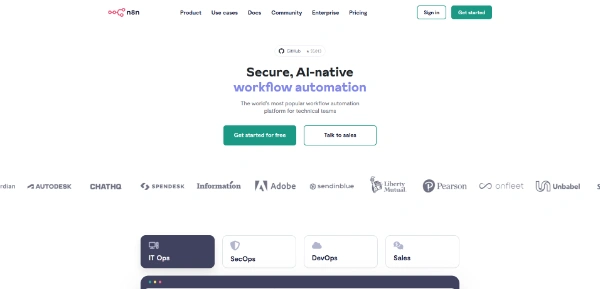
In today’s fast-paced digital ecosystem, manually moving data between different applications is a major bottleneck for productivity. n8n solves this problem by offering a next-generation workflow automation platform that connects your entire software stack and automates repetitive tasks with intelligent, visual workflows.
Quick Answer
n8n is a fair-code, node-based workflow automation tool designed for developers and businesses to connect over 400 applications. It is ideal for users who prioritize data privacy, advanced branching logic, and custom code integrations over fully managed, high-cost solutions. The primary use case of n8n is syncing data and triggering actions across multiple services, with the key advantage of offering unlimited executions when hosted on your own infrastructure.
Table of Contents
Full Introduction to n8n
Launched as an extendable, node-based workflow automation tool, n8n has quickly become one of the most popular alternatives to proprietary services. Unlike traditional platforms that charge per execution or limit execution speed, n8n focuses on transparency, flexibility, and extensibility.
With its node-based visual builder, users can map out complex logical flows that go far beyond simple trigger-and-action steps. By integrating native support for JavaScript and Python, n8n bridges the gap between no-code simplicity and developer-grade control. Whether you want to run it in the cloud or self-host it on your own server for complete data privacy, n8n scales to meet the automation needs of startups and enterprises alike.
As businesses continue to adopt AI automation tools to cut down on manual overhead, n8n stands out as an incredibly flexible and cost-effective solution.
How Does n8n Work?
At its core, n8n operates using a visual node-based system. Every automation starts with a trigger node (such as receiving an email, a webhook notification, or a scheduled time) and progresses through action nodes that manipulate data or interact with external APIs.
Each node in n8n represents a specific application or function, returning data in structured JSON format. This transparent data flow allows users to easily pass variables from any previous node to the next. For complex logic, users can add conditional branches, loops, and error-handling routines, ensuring that the automation runs reliably under different scenarios.
Key Features
- Visual Node-Based Builder: Map out complex logic, loops, and conditional branching paths visually.
- Over 400 Native Integrations: Connect popular tools like Slack, Google Sheets, Salesforce, HubSpot, and GitHub with pre-built nodes.
- Self-Hosting Option: Deploy n8n on Docker, Kubernetes, or any private cloud to maintain 100% control over sensitive customer data.
- Custom Code Nodes: Write JavaScript or Python code directly inside workflows to transform data or perform complex logic.
- Webhook Support: Receive real-time data from any app that supports webhooks, even if a native node is not yet available.
- Advanced Error Handling: Set up automated error triggers to notify your team immediately when a critical workflow fails.
Pros and Cons
Advantages
- Unlimited Executions: Host it on your own server and run as many workflows as your hardware can handle without paying extra fees.
- Ultimate Data Privacy: Keep sensitive customer information on your own infrastructure, satisfying strict GDPR compliance.
- Developer Friendly: Access to JSON payloads, custom coding, and Git integration makes it perfect for software engineers.
- Active Community: Access thousands of pre-made workflow templates shared by community members.
Disadvantages
- Self-Hosting Overhead: Requires technical knowledge to set up, maintain, and secure a self-hosted server.
- Fewer Native Integrations: Offers fewer pre-built integrations than older competitors like Zapier.
- Learning Curve: Beginners may find the node-based JSON interface slightly more technical than simple trigger-action builders.
Use Cases
Lead Routing and CRM Syncing
Automate your sales pipeline by sending new leads from Facebook Ads directly to Google Sheets, scoring them with an AI node, and creating a contact record in HubSpot while alerting the sales team via Slack.
Database and File Backup Automation
Schedule nightly backups of your MySQL database, compress the data into a ZIP file, and upload it securely to AWS S3 or Google Drive, sending a status report to your developer team upon completion.
Social Media Scheduling and Content Scraping
Scrape the latest industry news from RSS feeds, filter the content using ChatGPT to extract key takeaways, and automatically schedule social media updates across LinkedIn and Twitter.
Step-by-Step Tutorial
Follow these steps to build your first workflow in n8n:
- Log in or Launch: Sign up for n8n Cloud or spin up a self-hosted instance using Docker.
- Create a New Workflow: Click the “New Workflow” button in the dashboard to open the visual canvas.
- Add a Trigger: Click “+” to add a trigger node (e.g., “Schedule Trigger” to run your automation every day at a specific time).
- Connect an Action Node: Drag a connection from the trigger to add an action node (e.g., “HTTP Request” to fetch data from a public API).
- Process and Format Data: Add a “Code” node to format the retrieved API data using JavaScript.
- Send the Output: Connect a final node (e.g., “Slack”) to send the formatted data to your team channel.
- Test and Activate: Click “Test Step” to run the workflow manually, then toggle the “Active” switch to automate it.
n8n Pricing
Pricing for n8n depends heavily on whether you choose to self-host the platform or use their managed cloud service:
| Plan | Pricing | Key Features |
|---|---|---|
| Self-Hosted Community | Free (Fair-code license) | Unlimited executions, community support, full self-hosting control. |
| Cloud Starter | $20 / month | Up to 2,500 executions, 5 active workflows, fully managed hosting. |
| Cloud Pro | $50 / month | Up to 10,000 executions, 15 active workflows, priority email support. |
| Enterprise | Custom Pricing | Advanced team permissions, SSO, log streaming, and dedicated support. |
Please note that price details may change over time. It is highly recommended to check the official website for latest updates.
Comparison with Competitors
| Feature | n8n | Zapier | Make (formerly Integromat) |
|---|---|---|---|
| Self-Hosting | Yes (Free & Open-Source) | No | No |
| Pricing Model | Free or flat execution fee | Pay per task execution | Pay per operation/node execution |
| Ease of Use | Moderate (Developer-friendly) | Very Easy (No-code) | Moderate (Visual interface) |
| Total Integrations | 400+ | 6,000+ | 1,500+ |
Who Should (and Shouldn’t) Use n8n?
Who Should Use It?
n8n is ideal for developers, DevOps teams, and technical founders who want total control over their data flow and wish to avoid the steep costs of per-task proprietary platforms. It is also perfect for businesses in highly regulated industries (like finance or healthcare) that must keep all user data within a private network.
Who Shouldn’t Use It?
Non-technical business users who want to connect niche applications in seconds without setting up servers, writing basic JSON structures, or handling database configurations should stick to simpler platforms like Zapier.
Best n8n Alternatives
- Zapier: The industry giant with the largest catalog of pre-built integrations.
- Make (Integromat): A visually pleasing workflow builder that handles complex routing well.
- Activepieces: An open-source, developer-friendly alternative focused on business automation.
- Windmill: A highly technical developer platform for building backend workflows and scripts.
Frequently Asked Questions
Is n8n completely free?
n8n is free to self-host under a fair-code license, which allows you to run it for internal business purposes without limits. However, you cannot resell n8n as a managed service.
How many integrations does n8n support?
n8n natively connects with over 400 popular services, and you can connect to any other application using their HTTP Request node or custom community nodes.
What is the difference between n8n and Zapier?
Zapier is a fully hosted, closed-source platform that charges per task execution, while n8n is an open-source, node-based platform that you can self-host for unlimited free executions.
Does n8n support JavaScript?
Yes, n8n has a built-in Code node that allows you to write custom JavaScript (and Python) to manipulate data and execute custom logic within your workflow.
Is n8n safe for corporate data privacy?
Yes. Because n8n can be self-hosted on your own private cloud or physical servers, no data ever leaves your network, making it compliant with GDPR, HIPAA, and other strict data policies.
Can I run n8n on Docker?
Yes, Docker is the recommended way to deploy n8n. You can launch it quickly using a simple one-line docker-compose file.
What are the hosting requirements for n8n?
n8n is extremely lightweight. You can run it on a small VPS with as little as 1 GB of RAM and 1 CPU core, though heavier workloads may require more memory.
Can I trigger n8n workflows using webhooks?
Yes, n8n has a built-in Webhook trigger node that allows external systems to send data in real-time to start any automated workflow.